
Codeventure Infotech Store

Getting started: your first sorted Loop Grid in 5 minutes

This quick start sorts an Elementor Pro Loop Grid by a custom field, adds a second sort level, and lets visitors choose the order. Each step links to the full guide.
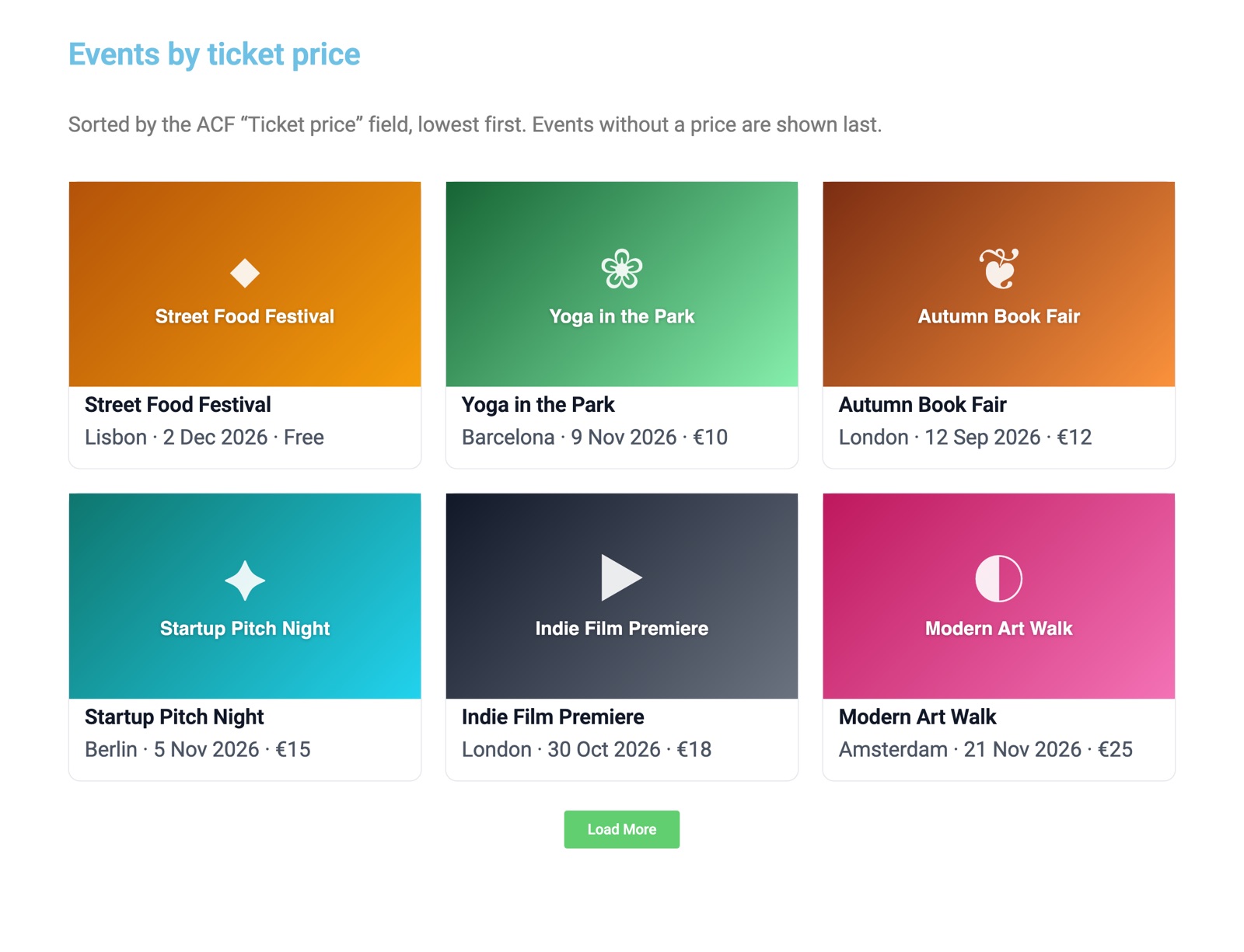
Loop Grid of events sorted by an ACF ticket price field, lowest first

1. Sort the grid by a custom field

  1. Edit the page in Elementor and select your Loop Grid.
  2. In Content → Query, choose the Source (post type), for example “Events”.
  3. Open the LoopSort section below Query and switch on Order by custom field.
  4. Pick the Field source (for example ACF field) and the Field, such as “Ticket price”.
  5. Set Compare values as to Numeric for prices and counts, choose the Order, and click Publish.

More detail: Sort a Loop Grid by a custom field.

2. Break ties with “Then by” (Pro)

Switch on Then by (level 2) to sort events by date, then by ticket price when two events share a date. A third level is available too. See Advanced sorting.

3. Show only the right posts (Pro)

Under Meta filters, add “Ticket price is less than 40” and set Date preset to Upcoming only. The grid now hides past events and expensive tickets on its own. See Meta filters and date presets.

4. Let visitors choose the order (Pro)

Drag the Sort Control widget above the grid, choose Dropdown or Buttons, and add options such as “Price: low to high” and “Date: soonest first”. The grid re-sorts without a page reload, and the choice is kept in the URL. See the Sort Control widget.

Yogesh Popat, developer of LoopSort and founder of Codeventure Infotech Available for new projects

Like what you see? Work with the developer

Hire Yogesh Popat for your website

I’m Yogesh, the developer behind LoopSort and the founder of Codeventure Infotech. When you hire me, you talk to me directly and I work on your project myself: no account managers, no hand-offs, no surprises.

  • Talk directly to me from the first call to launch
  • WordPress, WooCommerce & Elementor websites, built to load fast
  • Custom plugins & features, like the ones in this store

Privacy preferences

Choose which cookies we may use. You can change your choice at any time using “Cookie settings” in the footer. See our Privacy Policy for details.

Strictly necessary

Remember your privacy choice (cv_consent, 6 months) and keep unsent form drafts in your browser. These are required for the site to work and can’t be switched off.

Always on

Google Analytics (_ga, _ga_*, up to 2 years) helps us count visits and see which pages are useful. Data is aggregated and is not used for advertising.

Sale or sharing of personal information

We do not sell your personal information or share it for cross-context behavioural advertising (CCPA/CPRA). We also honour Global Privacy Control signals.

Never